

Configure Comparable Attributes
You can choose and rearrange the basic product attributes, as well as add custom ones.
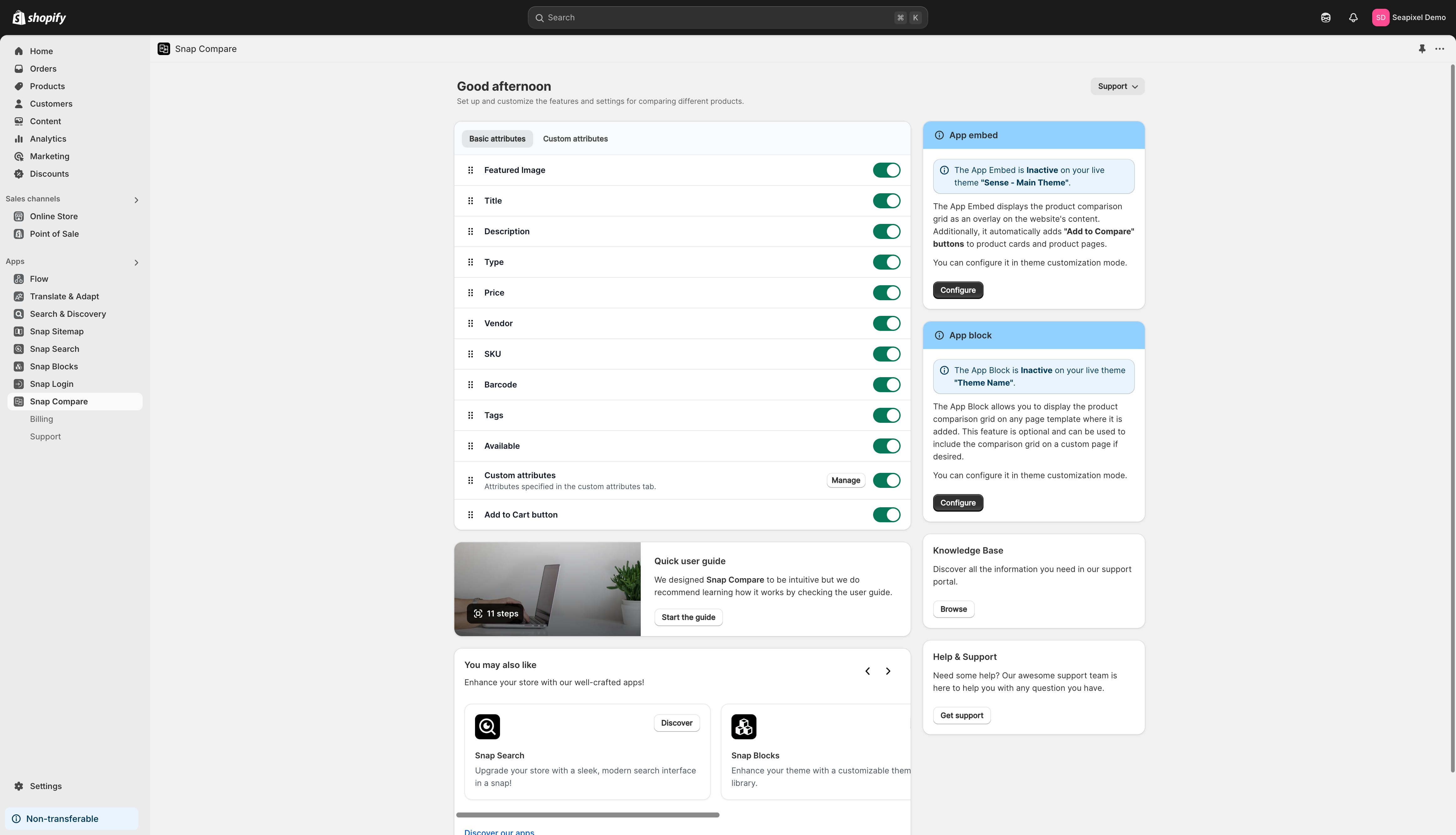

Hide the ones you don't require.
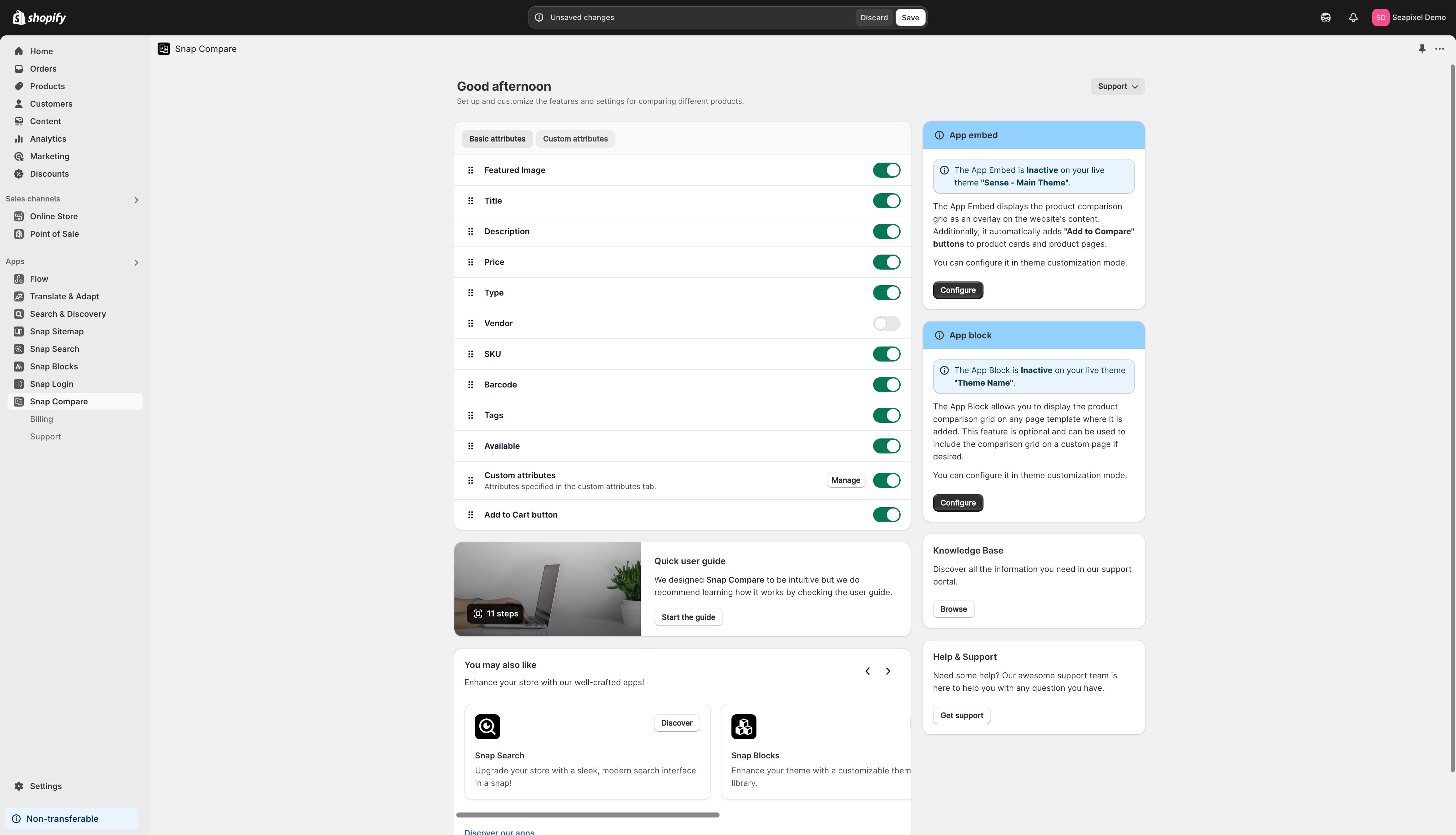
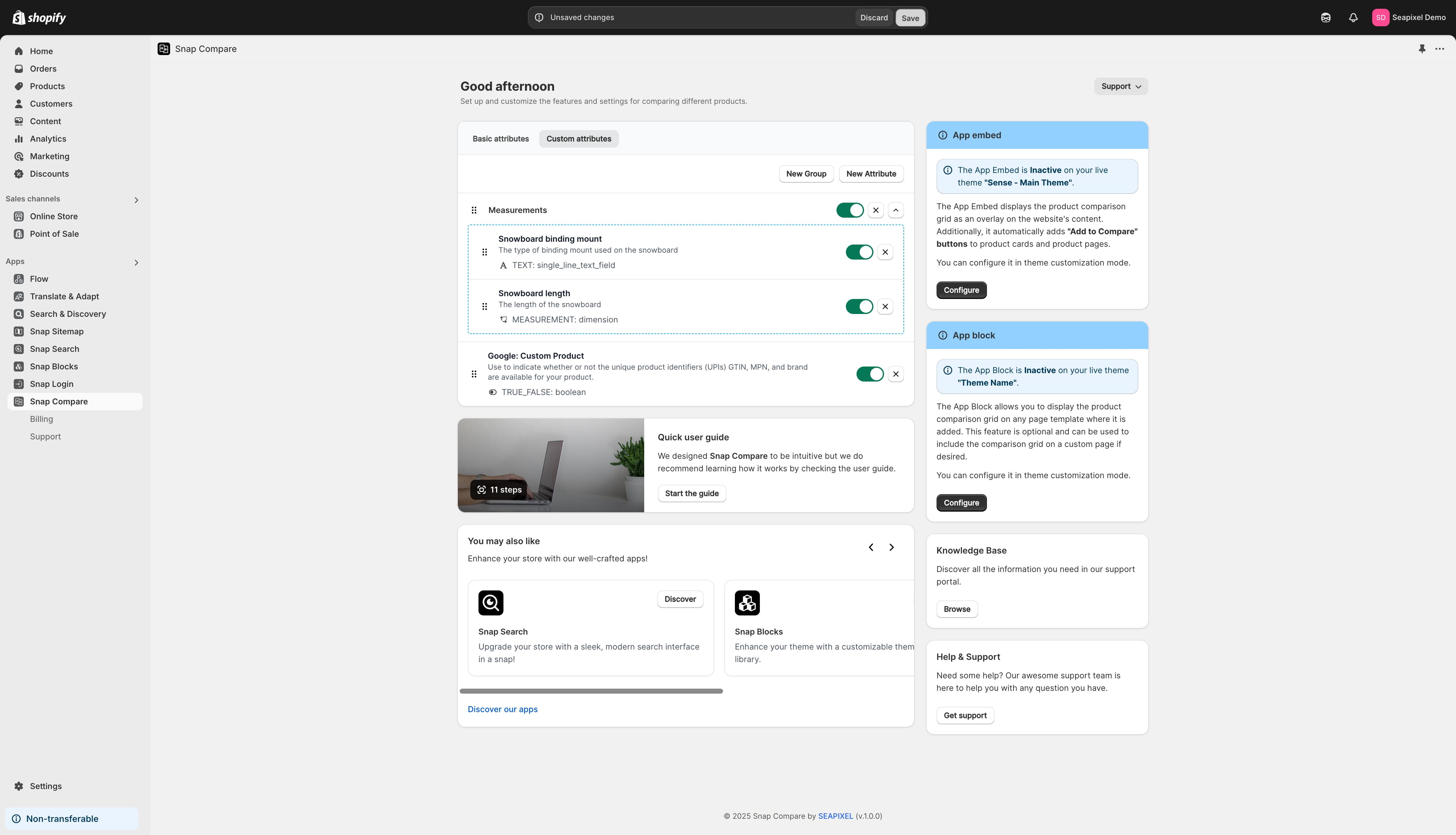
In the "Custom Attributes" tab, you can add additional comparable attributes to the comparison grid. Click the "New Attribute" button to view a list of all available product definitions.
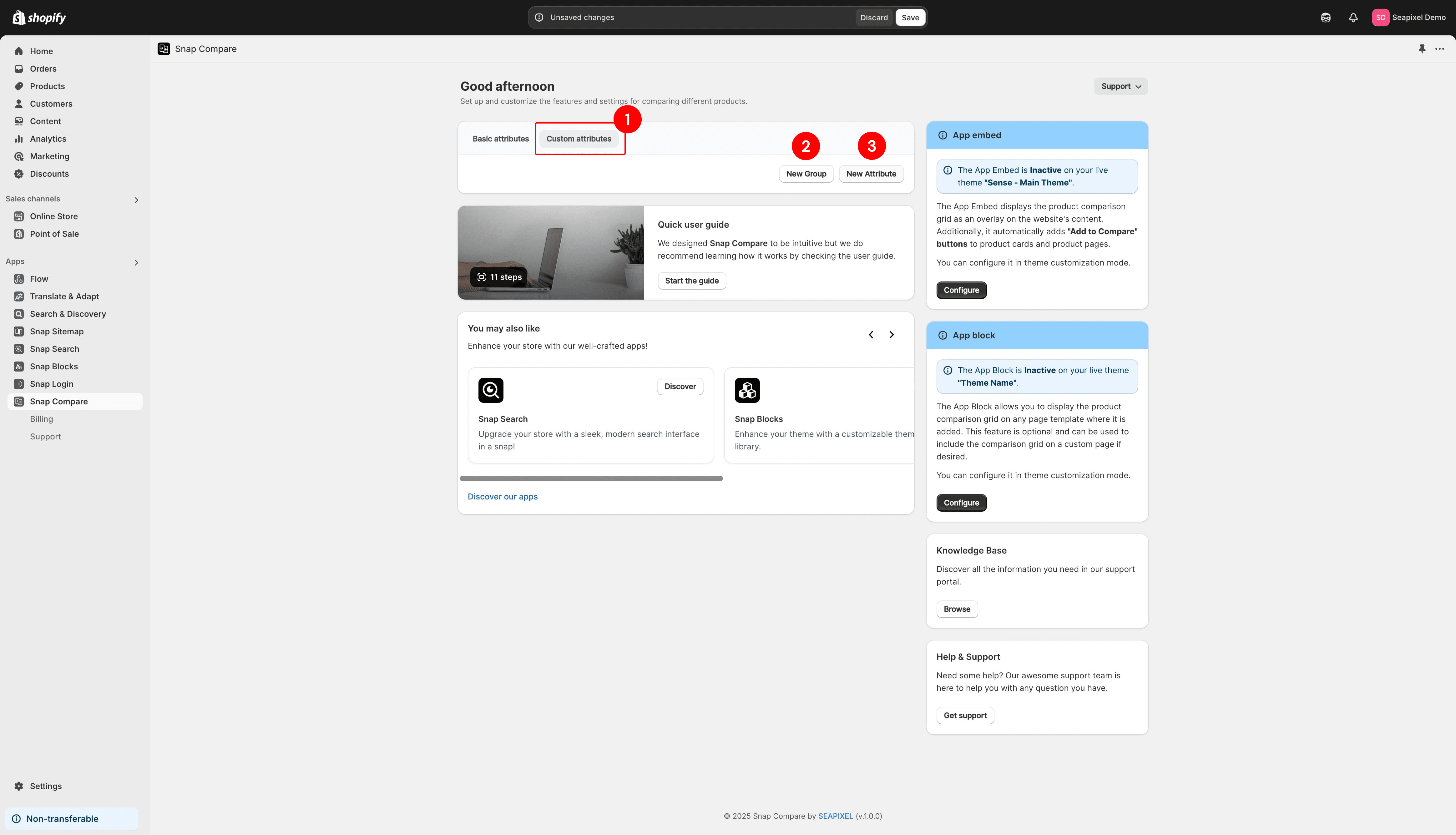
Search for and select the definitions you wish to add.
You can also create custom groups to organize product attributes into meaningful categories. These groups will be displayed as collapsible sections in the comparison grid on the front end.
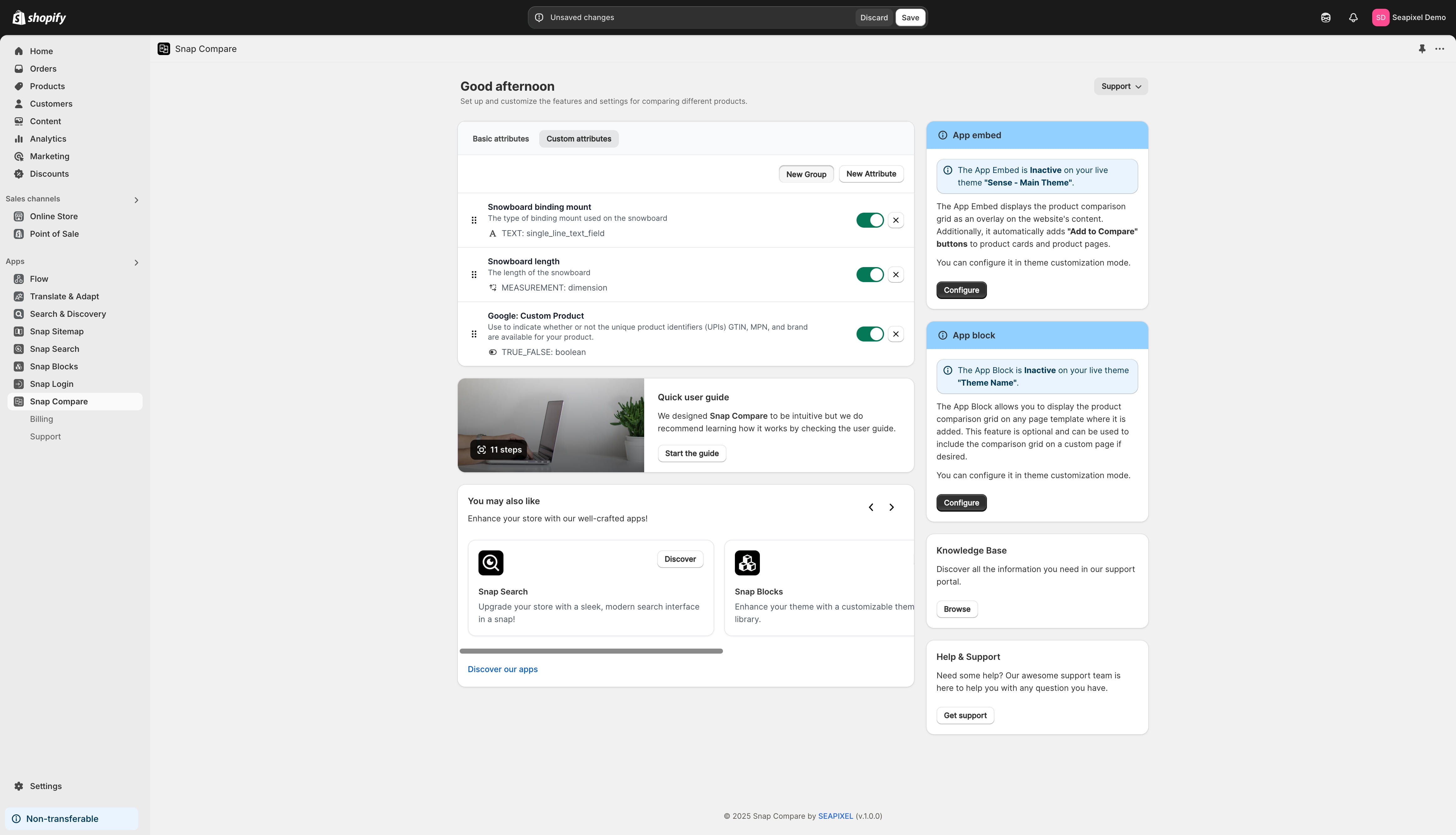
Click on the group name to rename it.
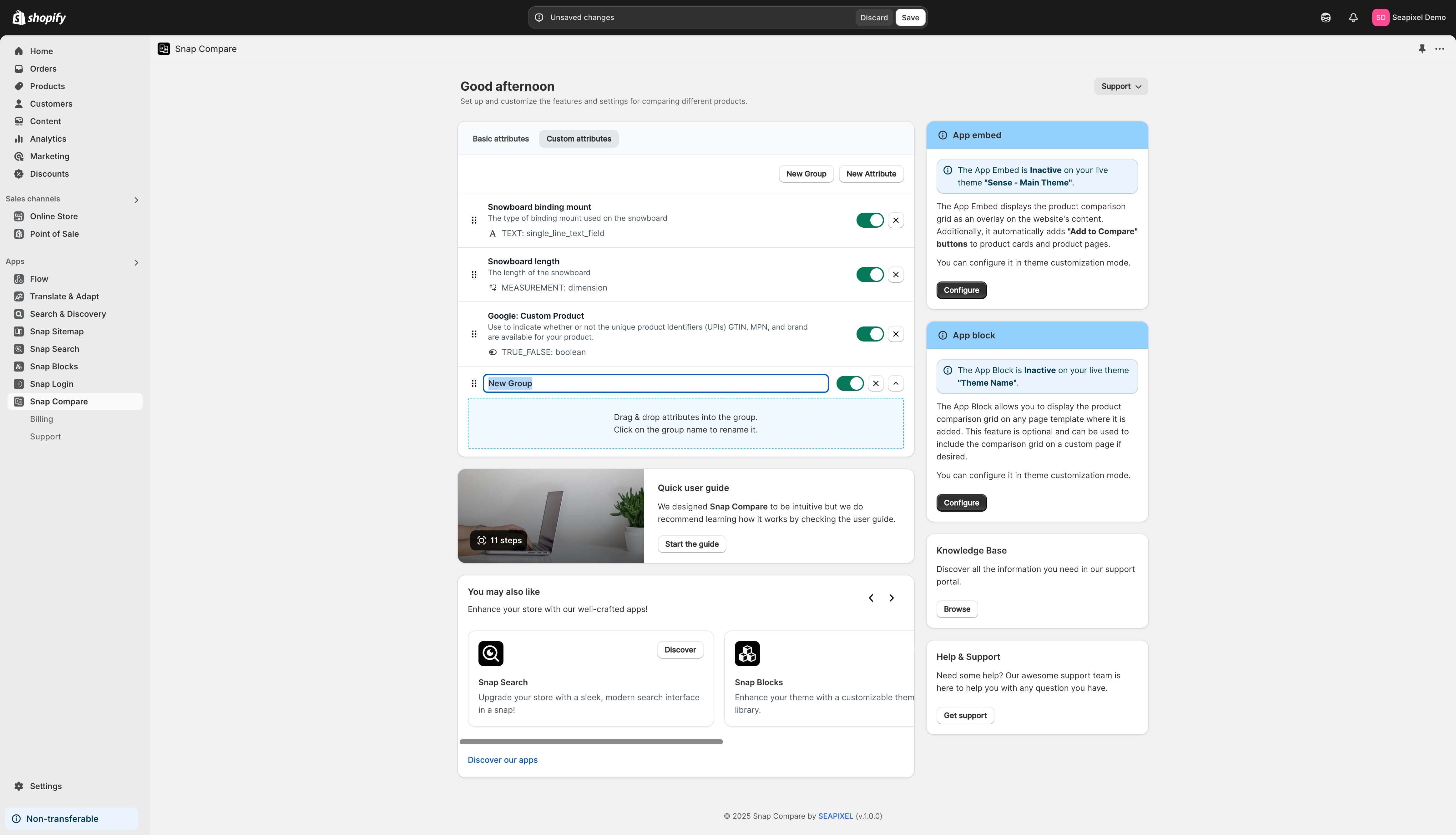
Drag & drop attributes into the group.
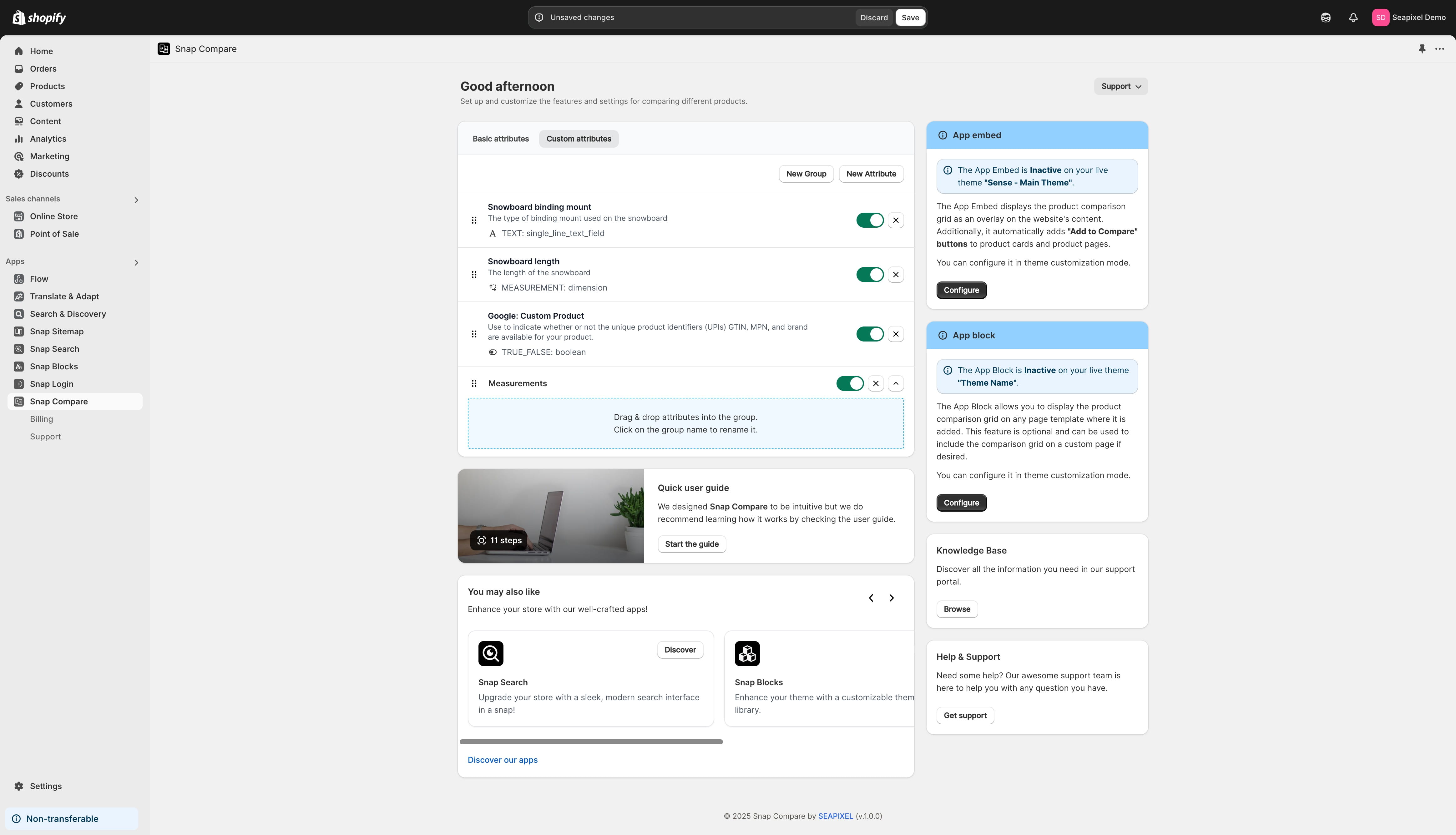
Each group and individual attribute can be rearranged using drag and drop.
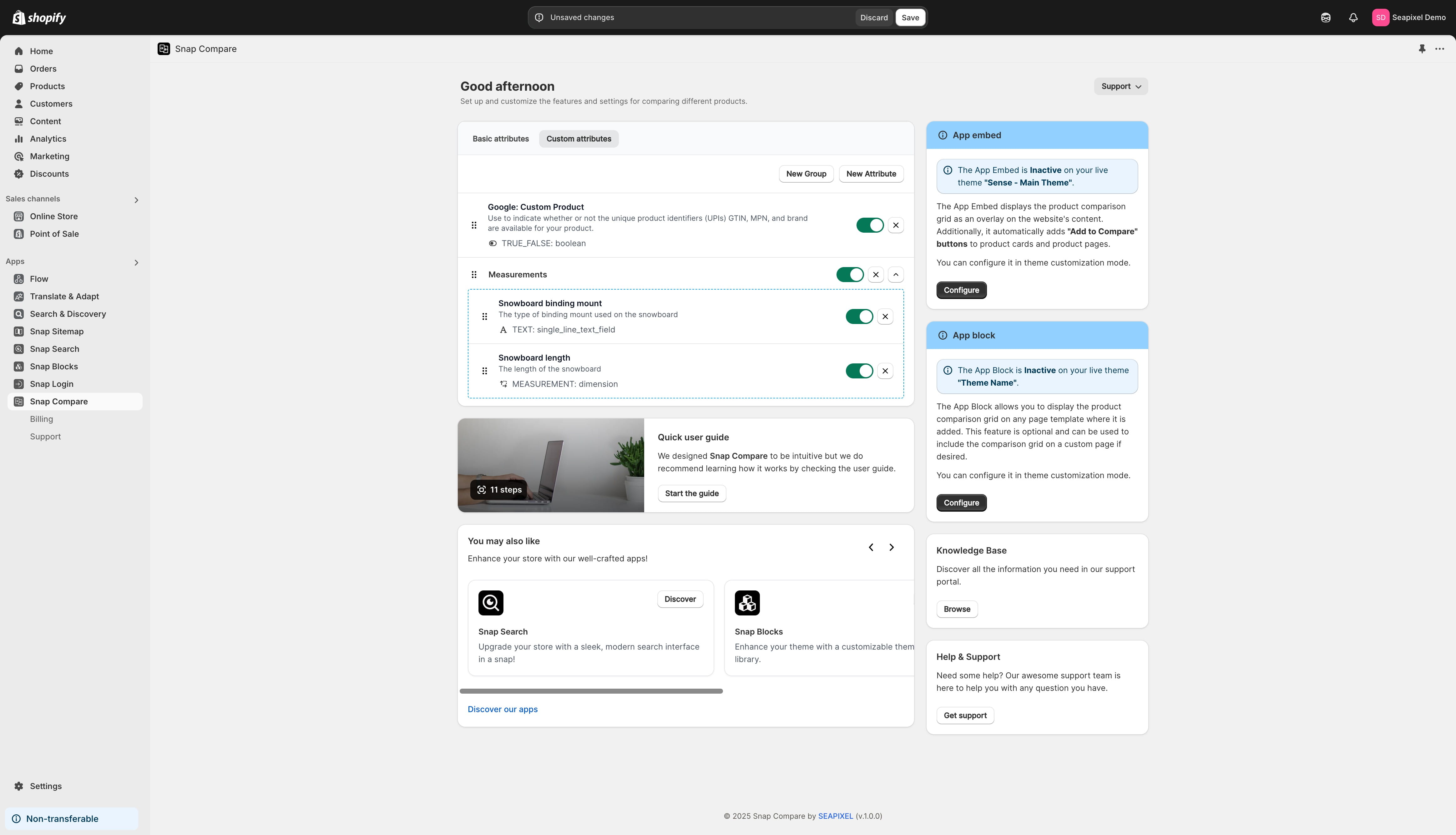
Click "Save" when you're ready to apply the changes.
Frequently Asked Questions
- What can I configure in the basic product attributes section?
You can rearrange the basic product attributes and add custom ones, hiding those you don't need.
- How do I add custom attributes to the comparison grid?
In the "Custom Attributes" tab, click the "New Attribute" button to see a list of available product definitions, then search for and select the ones you want to add.
- What is the purpose of creating custom groups, and how do I manage them?
Custom groups allow you to organize product attributes into categories, which appear as collapsible sections in the comparison grid on the front end. You can rename groups, drag & drop attributes into them, and rearrange them as needed.